Bajaj Design Library
I built Bajaj Finserv's design library on a framework I designed, then wrote the rules that let designers and AI read every component the same way.
One component, two readers
The same header, as a designer sees it and as an AI reads it.
The problem
AI couldn't read the library. Designers couldn't search it.
Both came from the same gap: the file never said what anything was for.
An AI reads names, properties and structure, and nothing else. A person reads past a sloppy name; a machine takes it at its word.
Frame 47Says nothing. A default name has no purpose.
Device device-typeOne idea, read as two. Drifting names look like two different things.
Navy/Navy-#002953A colour with no job. It names the shade, never the use.
detachedCut loose. No link back to the main component.
At about 600 components, people gave up looking and drew their own.
- Duplicatesthe same card, built many times over
- Driftnames and spacing that no longer matched
- Low adoptiona library people worked around, not with
One fix for both: a library that explains itself, in words a designer and an AI read the same way.
Where the rules came from
The rules came from practice, a failing AI and interviews.
- 01 · PracticeYears of building in Figma
How components, auto-layout and variables actually behave, and what breaks once a whole company builds on them.
- 02 · ExperimentAn AI that kept failing
Before Figma's MCP (its bridge for AI) could describe much, I built a chain of agents to turn Figma into code. Every failure pointed at something the file left unsaid.
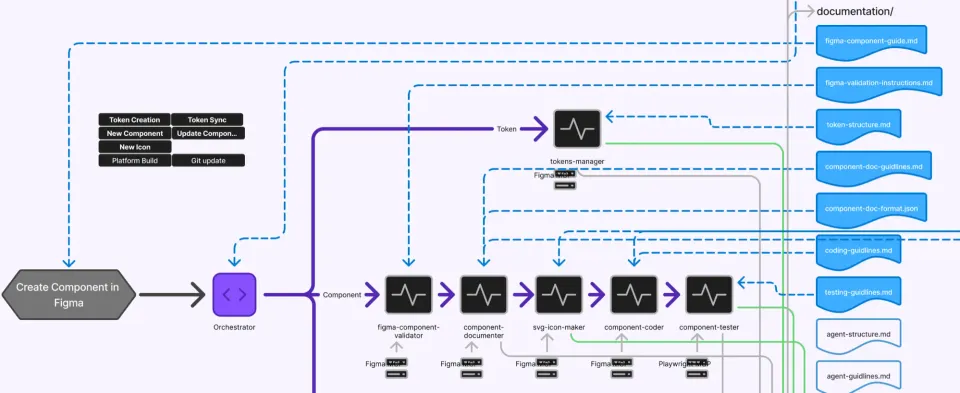
The Figma-to-code experiment. A lead agent passes each component from validator to documenter to coder to tester. The blue column is what they all read: the guides. - 03 · ResearchAsking the people who use it
Before rebuilding, I interviewed designers, product owners and stakeholders. They kept naming the same problems: duplicates, thin docs and drifting names. Those became rules.
The rules
Four rules do most of the work.
The library team builds from a guide. These four are the ones at work in the header at the top of this page, and they're why a designer and an AI read it the same way.
- Names say what a thing is for.No
Frame 47. A name an AI can parse is a name a new designer can find. - Figma and code share one name.A property in Figma is the prop in code, spelled the same.
- One device switch.A
devicevariable with mobile and desktop modes; the screen sets it, every part inherits it. Mobile is built at 360px, the width most customers use. - Every component states its job.When to use it, and when not to, in its own description.
Tools
A plugin for designers, a skill for AI.
Both search the descriptions rule 4 asks for, so a designer and an AI land on the same component.
Designers describe what they need instead of guessing a name. Scout matches that against every component's description and shows the closest existing ones first. No AI involved.
The AI's way into the same library. It reads the live file and the same descriptions, and picks the component a screen needs before drawing anything new.
The proof
Every CAI delivery is built from the library.
of CAI deliveries are built from the library. None ships without its components.
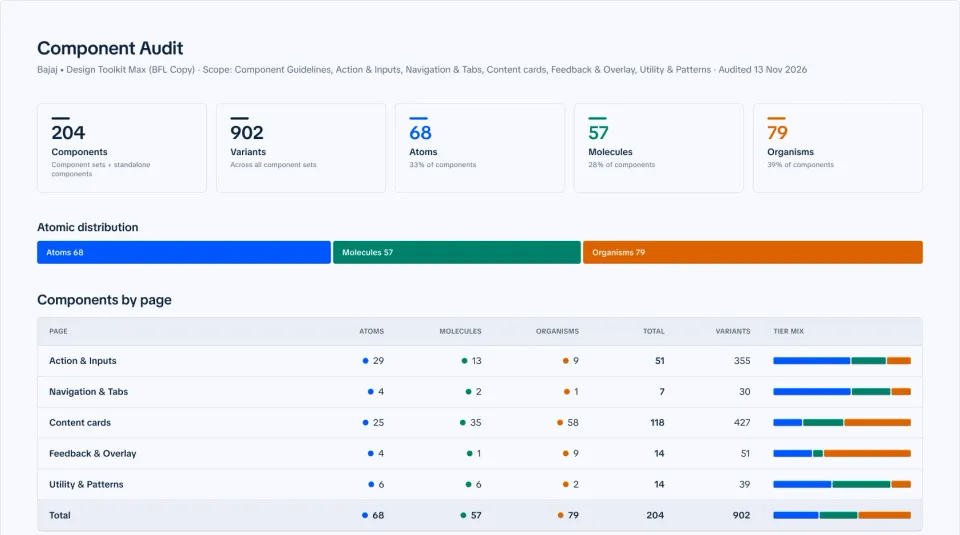
CAI, Bajaj's AI-first platform, got these rules from day one, along with everything the first library taught me. One naming system for tokens (the named colours, sizes and spacing), a description on every component, and twelve properties or fewer. The library team built 204 components and 902 variants on it. The everyday library is now moving onto the same system.
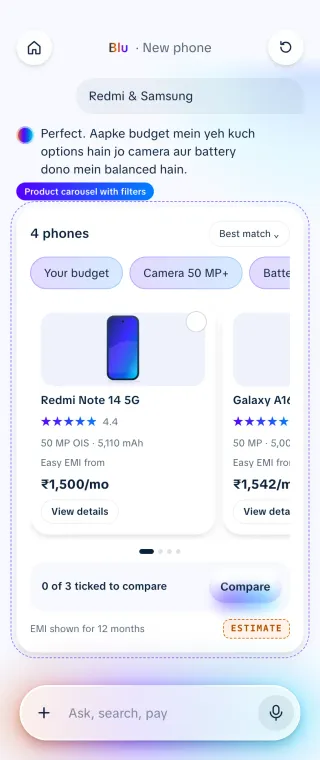
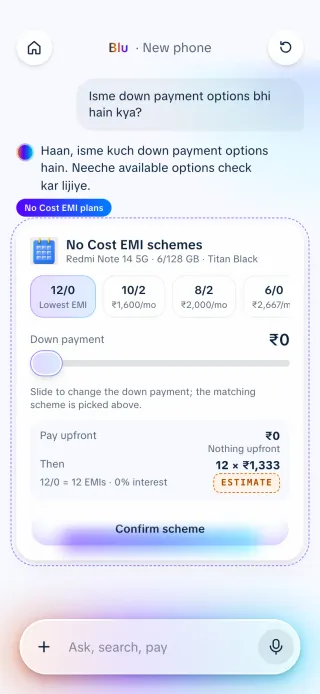
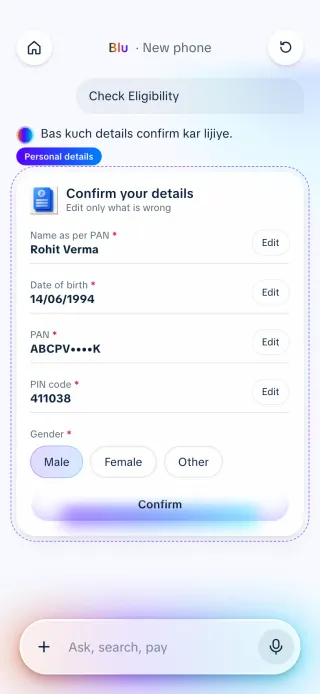
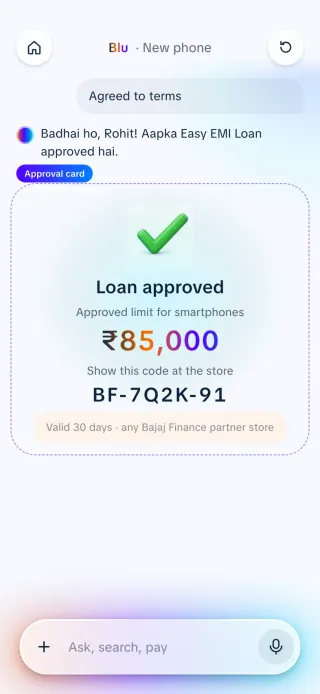
Journeys built entirely from library parts.
Also in this work
With the IT team I set up shared procedures and working routines so token, property and component names match everywhere: design, IT, data and product owners.
Partnership with ITRigid base components, no way to retire old ones, banners misused as containers, no feedback loop. Each got its own fix: flexible slots, a staged retirement, a banner framework, an internal satisfaction score.
From the interviewsA seven-stage review, from content to live audit, that catches non-standard components before release.
Library processThe case for Figma Enterprise, made in workshops with Figma, so one library could reach every team.
ProposalWhere the Figma-to-code experiment led: the header rebuilt as a React component with its own docs site.
React · Next.js